


One QR Scan to Donate, Signatures & Viewer Missions to Earn More — Every Donastar Donation Platform Feature

The moment a viewer thinks “I want to support this stream” is shorter than you’d expect. By the time they find the donation link, pick a payment method and decide on an amount, the feeling is gone. But when giving is easy — and the donation comes back as fun on screen — viewers open their wallets again.
Donastar solves both at once.
- Easy for viewers — one QR scan opens the donation window.
- More fun to give — Signatures, Viewer missions, videos, roulette and polls give fans a reason to donate.
- More for streamers — OBS widgets on the same account turn every donation into a stream highlight, and the platform fee is just 5%, among the lowest in the world.
Official service: donastar.tv · Streaming tools: streamer.donastar.tv
Donastar at a glance
| Item | Details |
|---|---|
| Entry point | A donation page + donation QR code created at sign-up (free, no application) |
| Ways to give | Signatures · Viewer missions · video · roulette · stickers · polls · AI voices · auto-climb |
| Fan motivation | Fan levels 1–10 · Top 20 superfan badges · pinned donations (up to 10 min) · rankings |
| Recurring revenue | Up to 10 monthly membership tiers · members-only boards |
| On stream | OBS widgets: alerts · roulette · goal/climb · polls · donation games · AI VTuber and more |
| Platforms | 12, including YouTube · Twitch · Kick · TikTok |
| Fees | 5% platform fee (+3% payment rails) · 0% for 3 months for new streamers |
| Payouts | From 300 Dona ($30) · Stripe · Wise |
1. One QR code — the shortest path to a donation
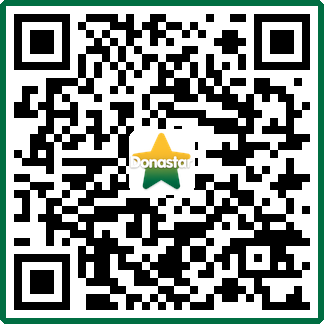
Don’t take our word for it — try it. Point your phone camera at the QR code below. Donastar’s official donation page opens and the donation window pops up automatically.
That’s all a viewer has to do:
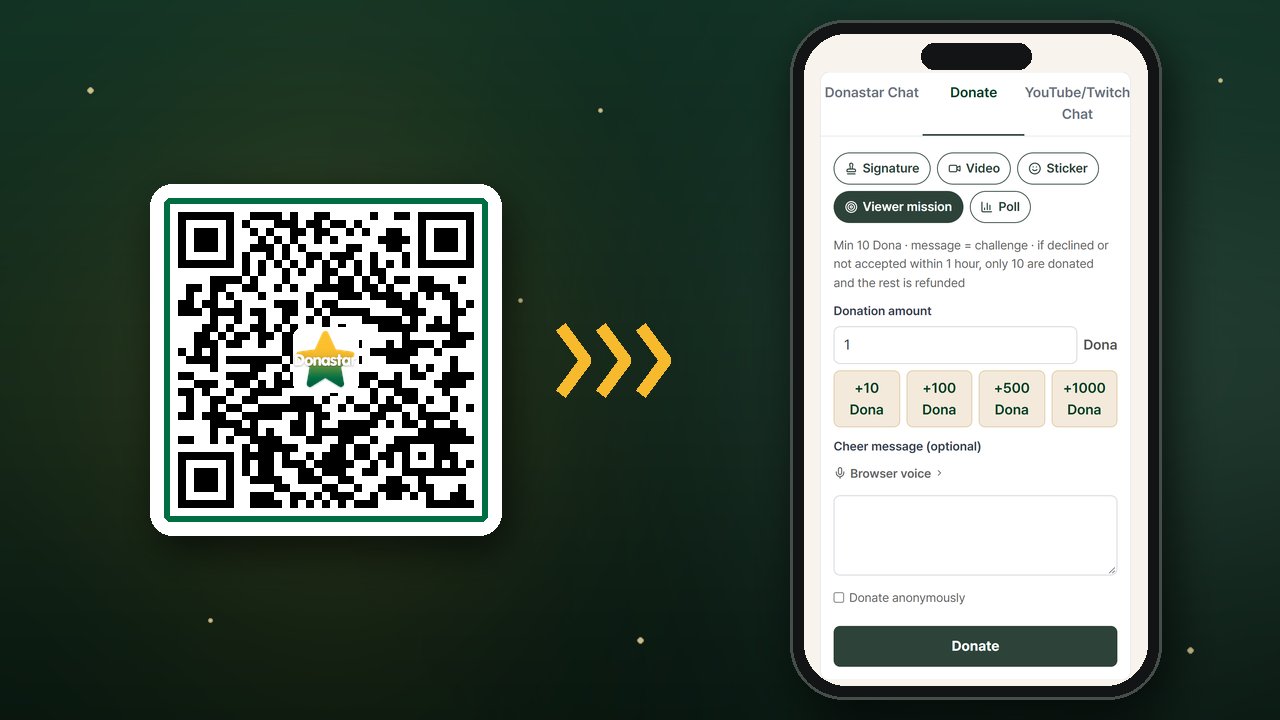
- Scan — scan the QR code on stream or in chat, and the donation window opens.
- Log in — only the first time. After logging in, they land right back in the donation window.
- Amount and message — pick an amount with the +10 / +100 / +500 / +1000 Dona quick buttons, add a cheer message (up to 200 characters) and hit Donate. Prefer to stay private? Check Donate anonymously.
For streamers it’s even simpler:
- Your QR code is created automatically — free, with no application or approval. Save it from Station → Channel settings.
- Put it anywhere — as an OBS image source on your stream, on your starting screen, in pinned chat messages and social bios, even on merch and business cards.
- No bank details, no real name — unlike bank-transfer QR codes, nothing personal is exposed, and every donation flows straight into your on-stream alerts.
- Global from day one — fans top up Dona with cards, Apple Pay, Google Pay and more, and the site is available in six languages: English, Korean, Japanese, Chinese, Spanish and Portuguese.
Get my donation QR → Channel settings
Learn more: QR donation guide
2. Signatures — a reaction only your stream has, for every amount
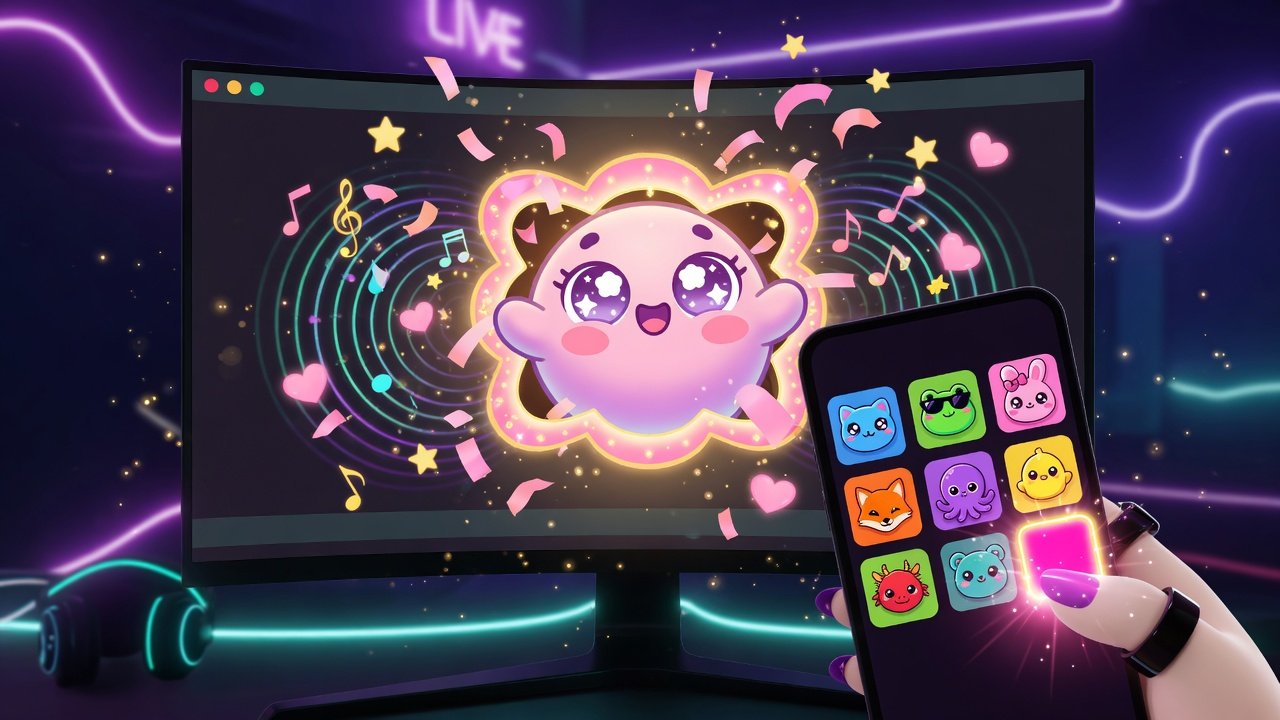
A Signature ties a specific amount to a reaction that belongs to your stream. In the Donation Alerts studio, save an image, GIF or video + a sound + an amount as one rule, and it automatically appears as a Signature tile on your viewers’ donation screen.
- Viewers just tap a tile and the amount is filled in for them,
- and the moment they donate, that exact image and sound plays on your stream.
Why does it grow revenue? Viewers aren’t buying an amount — they’re buying a moment they want to see. Turn your funniest reactions, inside jokes and catchphrases into Signatures, and viewers will send exactly that amount to see them. Spread Signatures across price points, and fans who want a bigger show naturally pick a bigger amount. Even with lots of Signatures, name search, favorites and price filters make them easy to find.
Try stream catchphrases, follower milestones, or limited-time birthday and anniversary Signatures. When chat starts shouting “Do the ○○ Signature!”, you’ve nailed it.
3. Viewer missions — fans put up a bounty and create the content
“Sing us a song.” “Win this round with only a knife.” Requests that used to live only in chat can now come with a bounty attached. That’s a Viewer mission.
- On the donation screen, the viewer turns on Viewer mission, writes the challenge as the message and sets the bounty as the amount. (The streamer sets the minimum — 10 Dona by default.)
- The donation alert appears on stream right away, tagged [Mission].
- The streamer approves or declines within 1 hour, from the notification bell or the Missions page.
- Approve it, and the full bounty is yours. Decline it, or don’t accept within an hour, and you keep only your minimum — the rest is instantly refunded to the viewer’s Dona wallet.
Why does it grow revenue?
- Fans dare to post big missions. They know most of it comes back if you say no.
- You only take the missions you want. Decline anything unreasonable — and still keep the minimum.
- The mission is the content. The attempt becomes a highlight, and that highlight brings in the next mission.
Set it up in Viewer mission settings on the Donate tab of your own donation page: turn on Accept viewer missions and set a Minimum donation (10–1,000,000 Dona). That minimum is what you keep even if you decline or miss the deadline.
Donastar doesn’t judge whether a mission was actually completed. Confirm the details in chat before you accept, and everyone has a good time.
4. One donate button is a waste — ways to give that fans actually want
The Donate tab is more than an amount field. Viewers get to choose how they give.
- Video — pick a YouTube link and a time range (minimum 10 Dona, up to 5 minutes). The Donastar Video Alert widget plays them on stream in order.
- Roulette — viewers check your results and odds, then spin. The result is revealed on stream.
- Stickers — platform stickers plus paid stickers you design yourself (up to 30).
- Polls — regular polls (one vote per account) and donation polls, where the amount donated is the weight of the vote. “Make my side win” competition drives donations.
- Voices — the cheer message is read aloud in a free browser voice or an AI voice of the viewer’s choice (+1 Dona).
- Auto-climb — set a start, an end and a step, and donations rise automatically — 1, 2, 3… (up to 1,000 steps). Pair it with the Donation Goal/Climbing widget for the full “climb” show.
There’s also a Super Chat–style spotlight. Donations of 10 · 50 · 100 · 500 Dona or more are pinned to the top of Donastar Chat for 30 seconds · 2 minutes · 5 minutes · 10 minutes respectively. The bigger the donation, the longer everyone sees it.
More on donation types: Donation types guide
5. Built-in reasons for fans to keep giving

- Fan levels 1–10 — level 1 at 10 Dona in total, then 30 · 100 · 300 … all the way to 300,000 Dona across 10 levels, each with its own chat badge.
- Top 20 superfans — each station’s top 20 donors get President · Vice President · #N badges. Wanting to keep that spot keeps the support coming.
- Membership tier badges — subscription tiers are visible at a glance in chat.
- Rankings — viewer and streamer rankings by day, month and all time.
- Home page exposure — receive lots of donations while live and you appear in Donation Ranking (top 20 over the last 3 hours) on the home page; get lots of likes and you show up in Trending Now. Donations bring in new viewers.
6. Recurring monthly revenue — memberships and your station
One-off donations go up and down. A membership is a subscription billed automatically every month.
- Create up to 10 tiers, priced from $3/month, ranked as tiers 1–10.
- Open members-only boards (for all members or per tier). Non-members see them locked — a natural nudge to join.
- Under the current policy, memberships carry only a 1% subscription fee, so almost all of the price you set goes into your earnings.
Your station, created when you sign up, is home base for your community.
- Boards — up to 20 announcement and free boards, with separate read and write permissions
- Fan management — each fan’s total Dona and donation count, managers and a blacklist
- Chat tools — chat managers, recurring announcements, chat freeze, kicks and AI auto-replies
Create membership tiers: Membership products guide
7. Let your stream sell itself — Donastar streaming tools
Donastar’s real strength is that the donation platform and the streaming tools run on one account. Log in to streamer.donastar.tv with the same account, add the widget URL to OBS, and Signature, video, roulette, sticker, mission and voice donations from Donastar show up as stream alerts. Turn each type on or off in one place: Donastar Unified Alert.
Donations from other platforms don’t need another tool either. YouTube Super Chats, Twitch Bits, Kick, TikTok coins and more — donations from 12 platforms plus Donastar are combined into one alert, one ranking and one donation goal. Even when you multistream, one widget is all you need.
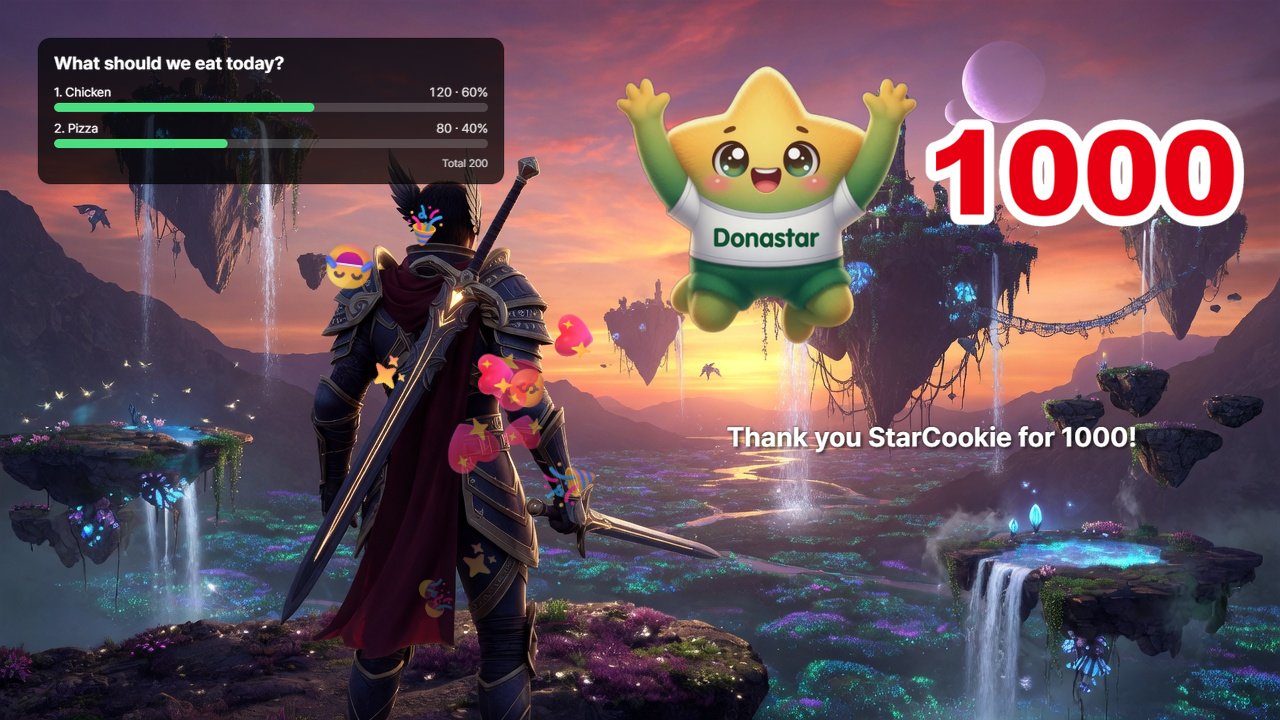
- Donation effects (Donation Alerts · Donastar Video Alert · Popping Effect · Wallpaper) — set a different image, GIF, video, sound and TTS for each amount range, so bigger donations get a bigger show.
- Interactive (Roulette Alert · Poll · Donation Game · Spread Sheet · Team Battle · Joint Broadcast Sheet · Joint Broadcast Team Battle) — every donation is a move in the game, and viewers change the outcome.
- Goals & rankings (Donation Goal/Climbing · Donation Ranking) — filling the goal and fighting for the top spot become content in themselves.
- Stream tools (Curated Chat · Notepad · Banner) — merge chat from 12 platforms into one window and keep announcements, schedules and donation info on screen.
- AI (AI auto-replies · AI VTuber) — AI fills the quiet moments in chat, even as a Live2D avatar.
The Donation Game is built for the moment donations stop. When no one has donated for a while, a Boss Raid · Time Bomb · Lucky Box mini-game pops up on screen, and viewers donate to defeat the boss, defuse the bomb or open the box. Bank Alerts can even show incoming bank transfers on stream like a donation alert, so no support slips by.
Setup is simple. Open a widget page and its OBS URL is created automatically — copy it and paste it into a browser source in OBS, PRISM Live Studio or XSplit. Manage every URL in Integrated Widget Control. And with the free plan alone, you can use almost every feature of Donastar’s streaming tools.
- Widget guides: Donation alerts · Roulette alerts · Spread Sheet · Team battle · AI VTuber
- Full overview: Introducing Donastar Streaming Tools — The All-in-One Live Streaming Assistant
Start using stream widgets for free
8. Keep more of what you earn — fees and payouts
All the features in the world don’t matter if payouts eat your earnings. Donastar’s platform fee is 5%, among the lowest in the world.
| Example: you receive 1,000 Dona ($100) | You get |
|---|---|
| Standard settlement (Donastar 5% + payment rails 3%) | $92 |
| During the 0% fee event | The full $100 |
- 0% for 3 months — for 90 days from your first earnings, settlement fees are fully waived while you have received fewer than 5,000 Dona. → Event details
- When you can withdraw — once you have 300 Dona ($30) or more that are at least one month old, request a payout whenever you like. Most requests are processed right away (Japan is paid in a weekly Monday batch), and arrival time depends on the payout route.
- Where payouts go — Stripe for the US, UK, Canada, Switzerland, Japan and the European Economic Area, and Wise for Korea and Brazil (to your own US USD account).
- Viewer top-ups — when viewers top up Dona, a 10% fee is included in the price they pay.
Compare fees with other platforms: Live Streaming Fee Comparison — YouTube, Twitch, TikTok & Patreon vs Donastar’s 5%
Why start now
- The easiest way for viewers to give — one QR scan, quick amount buttons and anonymous giving. The donation is done before the impulse fades.
- Donations become content — Signatures, Viewer missions, roulette, polls and donation games turn donations into highlights, and highlights bring in the next donation.
- Nothing to lose — your donation page and QR code exist the moment you sign up. Keep your current platform and support tools and simply open one more window — and new streamers pay 0% for the first three months.
How to start
- Sign up at donastar.tv. Your station, donation page and donation QR code are created instantly.
- Under Station → Channel settings, connect your streaming channels and save your donation link and QR code.
- Add the QR code to your stream as an OBS image source, and put the link in pinned chat messages, pinned comments and social bios.
- Log in to streamer.donastar.tv with the same account and add your Donation Alerts URL to OBS as a browser source.
- In the Donation Alerts studio, bundle an image, a sound and an amount into a Signature.
- On your own donation page, open Viewer mission settings, turn missions on and set your minimum. Add monthly tiers under Membership subscription if you like.
- Once donations add up, connect your account and verify your identity under Payout account, then request a payout.
Learn more: Introducing Donastar — A Donation Platform Built for Streamers
The bottom line
A donation is the clearest form of support a viewer can give. Donastar was built so that support isn’t blocked by a clunky checkout, comes back as fun on screen, and stays with the streamer instead of leaking away in fees.
Put one QR code on your stream today. Your next stream’s donations will look different.
Sign up and get my donation QR
Contact: hello@donastar.tv
Share Article
If this article helped you, please share it with others!
